.png?width=1322&height=350&name=C3ITXperts-logo-R%20(1).png "C3ITXperts-logo-R (1)")


Updated August 18th 2026
The best projector is not the most expensive one
A projector can make a meeting, lesson, seminar, or event much more effective.
It can show a report to a board, a lesson to a class, a design to a client, or a live demonstration to a large audience.
But choosing the wrong projector creates problems.
The image may look weak in a bright room. Small text may be difficult to read. The projector may be too close to the screen. The sound may be poor. The cables may not match the devices. A portable model may not be bright enough for a conference room. A powerful model may be unnecessary for a small meeting room.
Many projector lists still recommend models from years ago. That is not enough for a 2026 purchase.
Projector technology, room design, wireless sharing, hybrid meetings, laser light sources, and digital displays have all changed.
The right projector is the one that fits the room, the content, the audience, and the way your team works.
This guide explains how to choose a business projector in 2026 for offices, classrooms, boardrooms, seminar halls, auditoriums, training rooms, and mobile presentations.
What is a business projector?
A business projector displays images, presentations, documents, video, and other content on a wall or screen.
It can be used for:
- Office presentations
- Board meetings
- Staff training
- Classroom lessons
- Seminars
- Conferences
- Product demonstrations
- Events
- Digital signage
- Large venue communication
A business projector is different from a home cinema projector in its main purpose.
A business model often needs:
- Clear text
- Good brightness
- Easy setup
- Reliable connectivity
- Long operating hours
- Simple maintenance
- Fast switching between devices
- Support for presentations and video calls
The best projector depends on the work it must do.
What changed from older projector buying guides?
Older projector guides often focused on a list of models.
That approach becomes outdated quickly.
Models change. Availability changes. Software changes.
Lamps are replaced by newer light sources.
Offices now use wireless collaboration, cloud documents, video meetings, and multiple screen formats.
A better 2026 buying guide should focus on the decision behind the projector:
What will you show?
Where will you show it?
Who will use it? How often will it run?
What happens if it stops working?
Those questions will help you choose a better projector than a copied list of old product names.
Choose the projector for the room
The room is the first decision.
A projector that works well in a small meeting room may fail in a large seminar hall.
A classroom projector may not be suitable for a boardroom.
A portable projector may be useful for travel but weak for daily installation.
Check:
- Room length
- Room width
- Ceiling height
- Screen size
- Seating distance
- Window light
- Artificial lighting
- Wall cooler
- Ceiling or table mounting
- Power and cable access
Small meeting rooms
A small room may need a compact projector with moderate brightness and easy connection to laptops.
The main requirements may be:
- Clear text
- Easy startup
- Quiet operation
- Wireless sharing
- Short throw distance
- Low maintenance
Classrooms
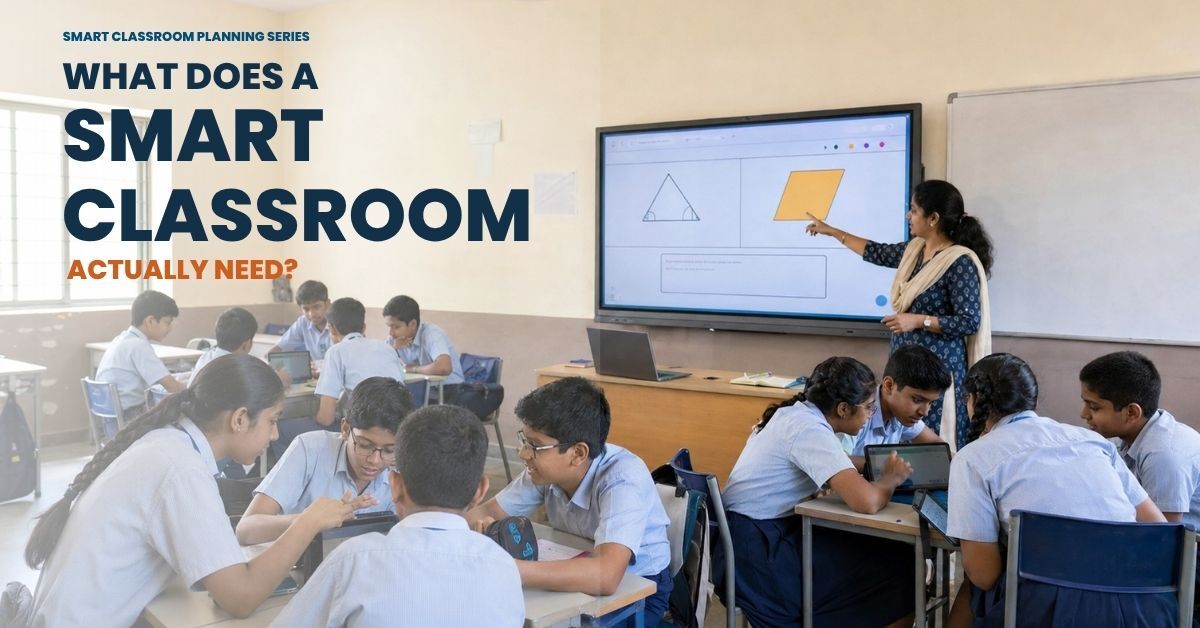
A classroom needs clear content from the front row to the back row.
The projector should support:
- Text and diagrams
- Videos
- Digital lessons
- Teacher movement
- Easy connection
- Good sound
- Bright images in normal classroom light
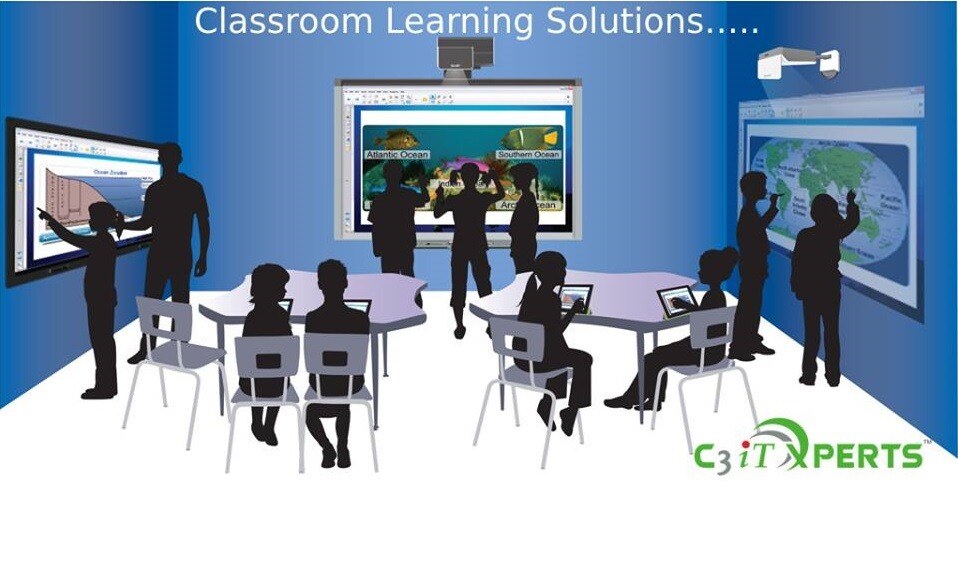
Schools should also compare a projector with an interactive flat panel. An interactive display may be better when teachers need to write directly on content and invite students to interact.
Explore C3 iT Xperts Classroom Tech solutions when planning the complete classroom system.
Seminar halls and auditoriums
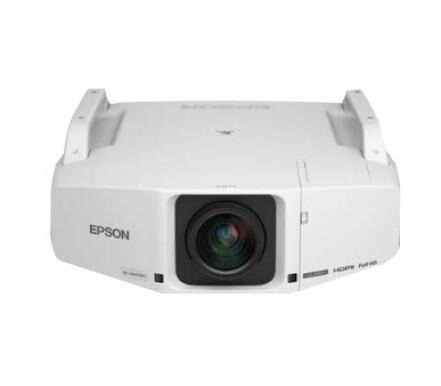
Large rooms need stronger brightness, larger images, suitable lenses, reliable connectivity, and carefully planned sound.
A projector for a large venue should be selected after checking the screen width, throw distance, ambient light, seating, and event type.
C3 iT Xperts provides projector solutions for seminar halls, auditoriums, and lecture spaces.
Check brightness correctly
Brightness is measured in lumens.
A projector with more lumens can produce a brighter image, but more brightness does not automatically mean a better result.
The room, screen size, light, and content all affect the image.
A darker room
A darker room may work well with a projector that has moderate brightness.
This can be useful for:
- Training rooms
- Small meeting rooms
- Home office presentations
- Controlled classrooms
- Lecture rooms with curtains
A bright room
A room with large windows or strong overhead lighting needs more brightness.
The image must remain clear when the lights are on. If the room cannot be darkened, brightness becomes more important.
A large screen
A larger image spreads the light over a wider area.
The projector may need more brightness to keep the image clear.
Do not compare brightness without asking:
- What screen size will be used?
- How much natural light enters the room?
- Will the lights be switched off?
- Are presentations text heavy?
- Will videos be shown?
- Will the projector run for many hours?
Ask the vendor to demonstrate the projector in a room that looks like yours.
A bright showroom with controlled lighting does not always represent a real office, school, or event space.
Select the right resolution for your content
Resolution affects the sharpness of text, charts, images, and video.
The right resolution depends on what you plan to show.
Basic presentations
If the projector will show simple slides with large text, a basic resolution may be enough.
Detailed presentations
If the content includes spreadsheets, engineering drawings, dashboards, small text, maps, or financial information, higher resolution can make the content easier to read.
Full HD and 4K content
Full HD can provide a clear image for many business and education uses. Higher resolution may be useful for large screens, detailed visuals, design work, medical content, and high quality video.
But resolution should not be considered alone.
A high resolution projector with weak brightness, poor contrast, or the wrong lens may still produce a disappointing result.
Check:
- Native resolution
- Maximum supported resolution
- Aspect ratio
- Text clarity
- Video quality
- Compatibility with your laptop
- Compatibility with your content platform
Use your own files during the test.
A vendor presentation may hide the weaknesses of a projector.
Your own spreadsheet will not.
Choose the right projection distance
Throw distance is the space between the projector lens and the screen.
This is one of the most important installation decisions.
Standard throw
A standard projector sits farther from the screen.
This may work well in rooms with enough ceiling or table space.
Short throw
A short throw projector can produce a large image from a shorter distance.
This can reduce:
- Shadows on the screen
- Light shining into the presenter’s eyes
- People walking through the image
- Cable length
- Room obstruction
Short throw projectors can be useful in classrooms and small meeting rooms.
Ultra short throw
An ultra short throw projector can sit very close to the wall or screen.
This can be useful when the room is narrow or when the projector must be placed close to the display surface.
However, installation must be accurate.
A small alignment error can affect the image.
The wall or screen should also be flat and suitable for projection.
Do not buy a short throw or ultra short throw projector without checking the room measurements.
The right lens is more important than a label in a brochure.
Check the light source and maintenance
Older projectors often use lamps. Newer systems may use LED or laser light sources.
Each option has different benefits and maintenance needs.
Lamp projectors
Lamp projectors can provide good performance, but the lamp has a limited operating life.
The school or business may need to plan for:
- Lamp replacement
- Reduced brightness over time
- Cooling time
- Maintenance visits
- Spare lamp costs
LED and laser projectors
LED and laser light sources may offer longer operating life and lower maintenance in some use cases.
They may also:
- Start faster
- Reduce lamp replacement
- Support frequent switching
- Work well in meeting and classroom environments
The exact life and performance depend on the model, usage, room conditions, and maintenance.
Ask the vendor for the expected operating life and the cost of ownership over several years.
Do not compare only the purchase price.
A projector with a lower initial price may cost more if it requires frequent lamp replacement and service.
Review connectivity before buying
A projector must connect to the devices your team already uses.
Common connections may include:
- HDMI
- USB
- USB C
- VGA on older systems
- DisplayPort
- Audio input and output
- Wi-Fi
- Wireless casting
- Network connection
- Bluetooth on selected systems
Test the devices you already use
Ask the vendor to connect:
- A Windows laptop
- A Mac
- A Chromebook
- A tablet
- A document camera
- A camera and microphone
- A video conferencing system
Check whether the image and audio work together.
A connection that shows a picture but sends no sound can create delays during a presentation.
Wireless sharing
Wireless sharing can make meetings and lessons easier.
Users can share content without changing cables repeatedly.
But wireless sharing should be secure and reliable.
Ask:
- Can unauthorized users share content?
- Can the IT team control access?
- Does it work on the school network?
- Does it work with guest users?
- Does it support the devices used by staff?
- What happens if the network is unavailable?
A wired connection should remain available as a backup.
Do not forget sound
A clear picture with poor sound is still a poor presentation.
This matters when showing:
- Training videos
- Product demonstrations
- Online meetings
- Recorded lessons
- Interviews
- Webinars
- Events
Small rooms
Built-in speakers may be enough for a small meeting room or classroom, depending on room size and noise.
Large rooms
A seminar hall or auditorium may need:
- Wall speakers
- Ceiling speakers
- A microphone
- An amplifier
- Audio processing
- A sound control system
The sound should be even across the room.
People at the back should hear the presenter without making the front row uncomfortable.
C3 iT Xperts can review projector and audio requirements as part of an audio visual consultation.
Plan installation, control, and support
The best projector can fail when installation is poor.
Review:
- Mounting location
- Ceiling strength
- Screen height
- Cable routes
- Power access
- Ventilation
- Security
- Remote control
- Room lighting
- Service access
Control systems
A meeting room may need one control point for:
- Projector
- Screen
- Lights
- Audio
- Camera
- Microphone
- Video conferencing
Simple controls reduce delays and make it easier for more people to use the room.
Support after installation
Ask:
- Who will install the projector?
- Who will align it?
- Who will train users?
- Who will respond to faults?
- How quickly are parts available?
- What happens after the warranty ends?
- Is an annual maintenance contract available?
A projector should not become unusable because the remote is missing or one cable has failed.
Match the projector to the presentation style
Different presentations need different image qualities.
Text heavy presentations
Priorities sharp text, high resolution, suitable brightness, and good contrast.
Video presentations
Check color, motion, contrast, sound, and connection stability.
Data dashboards
Check small text, charts, numbers, and the ability to display several sources.
Product demonstrations
Check color accuracy, image detail, switching speed, and the ability to connect multiple devices.
Large events
Check screen size, brightness, lens options, signal reliability, sound, and backup equipment.
Do not choose one projector for every possible use without testing the most important use first.
Consider portable business projectors carefully
A portable projector can be useful for sales teams, trainers, consultants, and staff who travel between locations.
Important features may include:
- Low weight
- Fast setup
- Battery support on selected models
- Wireless sharing
- Multiple connection options
- Carrying case
- Suitable brightness
- Reliable focus and alignment
Portability always involves trade-offs.
A small projector may be easy to carry but may not be bright enough for a large room.
A brighter projector may need more power and a larger case.
Test the projector in the rooms where it will actually be used.
Use a real room test before you buy
Do not choose a projector from a product sheet alone.
Ask for a demonstration in a room similar to your own.
Use your real content.
Test this content
- Small text
- Tables
- Spreadsheets
- Charts
- Videos
- Photos
- Web pages
- Presentations
- Subtitles
- Remote participants
Test these conditions
- Lights on
- Curtains open
- Curtains closed
- People moving across the room
- Multiple devices connected
- Normal network traffic
- Normal seating distance
Ask users what they think.
A projector that impresses one technical person may not be the best choice for teachers, sales teams, or general employees.
The people who use the system every day should be part of the decision.
Calculate total cost of ownership
The projector price is not the total project cost.
Include:
- Projector
- Lens
- Screen
- Mount
- Installation
- Cabling
- Power protection
- Audio
- Camera and microphone
- Control system
- Software
- Lamp or light source replacement
- Maintenance
- Training
- Support
Compare the cost over several years.
A lower priced projector may be more expensive if it requires frequent maintenance. A higher priced system may offer better reliability and lower support needs.
Ask for a line by line quotation.
Do not compare only the final number.
Projectors for schools and classrooms
Schools can use projectors in classrooms, laboratories, auditoriums, seminar rooms, and training spaces.
A projector may be a suitable option when:
- The room is very large
- The school already has a working projection system
- Touch interaction is not required
- The budget is limited
- A large image is needed
- The system is used for events or lectures
An interactive flat panel may be a better choice when teachers need to write directly on the screen, save notes, invite students to interact, and use digital whiteboarding.
The right choice depends on the classroom task.
Explore Classroom Tech solutions before deciding between a projector and an interactive display.
Projectors for meeting rooms
A business meeting room may need a projector when the team presents to many people or uses a large screen.
A modern meeting room may also include:
- Interactive display
- Wireless presentation
- Video conferencing
- Room speakers
- Microphones
- Camera
- Room booking system
The projector should work as part of the room, not as a separate device that users struggle to operate.
Projectors for large venues
Large venues need careful planning.
The projector must match:
- Screen size
- Room depth
- Seating
- Ambient light
- Image content
- Event length
- Backup needs
- Sound system
A professional installation should check the lens, mounting, signal path, ventilation, power, control, and service access.
C3 iT Xperts helps organisations plan large venue projector systems for seminar halls, auditoriums, and lecture spaces.
Common projector buying mistakes
Choosing from an old list
A projector list from 2018 may contain models that are no longer available or supported. Use current specifications and current support information.
Looking only at brightness
Brightness matters, but room size, screen size, resolution, contrast, light, and content matter too.
Ignoring the lens
The wrong throw distance can make installation difficult or create a poor image.
Forgetting audio
Video and online meetings need clear sound.
Buying a portable projector for a large room
Portability and brightness often involve trade-offs.
Ignoring maintenance
Ask about lamps, filters, light source life, parts, and service.
Testing only a sales presentation
Use real content and real devices.
Stopping at installation
Users need training and support after the projector is installed.
A simple 30 day buying plan
1: Define the use
Write down whether the projector will be used for meetings, classrooms, events, training, product demonstrations, or travel.
2: Check the room
Measure the room, screen location, throw distance, light, power, and seating.
3: Test current content
Use your presentations, videos, documents, laptops, and meeting tools.
4: Compare the complete quotation
Include the projector, screen, lens, mounting, installation, audio, cabling, training, warranty, and support.
A simple evaluation process can prevent an expensive wrong choice.
How to measure projector success
A projector is successful when it improves communication.
For offices
Check presentation clarity, meeting participation, decision time, connection problems, and user confidence.
For classrooms
Check student visibility, teacher use, lesson preparation, student participation, audio clarity, and technical problems.
For large venues
Check visibility from the last seat, image quality, event reliability, signal stability, sound, and technical support.
For sales and demonstrations
Check audience attention, product enquiries, demo requests, lead capture, and follow-up results.
Do not measure only how many times the projector was switched on.
Measure whether people understood the message and took the next step.
Get help choosing a business projector
Choosing a projector is easier when the room, content, users, and support plan are reviewed together.
C3 iT Xperts can help with:
- Projector selection
- Screen and lens planning
- Classroom technology
- Meeting-room AV
- Large venue projection
- Audio and video
- Wireless presentation
- Installation
- Training
- Ongoing support
Book a projector consultation
Talk to C3 iT Xperts about your projector requirement
Review the room and system
For schools
Explore C3 Classroom Tech solutions
Frequently asked questions
What is the best business projector in 2026?
The best business projector depends on the room, content, brightness, resolution, throw distance, connectivity, sound, installation, maintenance, and support. A projector should be selected for the use case, not from a generic ranking list.
Is a projector better than an interactive flat panel?
A projector may be better for a very large room, auditorium, or large image. An interactive flat panel may be better for direct touch, digital writing, student interaction, and an all-in-one classroom system.
How many lumens does a business projector need?
The required brightness depends on room light, image size, screen distance, and content. A bright room or large screen usually needs more brightness. Test the projector in a room similar to the final installation.
What is the difference between short throw and ultra short throw?
A short throw projector creates a large image from a shorter distance than a standard projector. An ultra short throw projector sits even closer to the wall or screen. Both can reduce shadows and presenter glare, but installation must be accurate.
Is 4K necessary for a business projector?
4K can help when showing detailed images, design work, data, or high quality video. It may not be necessary for every presentation. Check the content and viewing distance before paying for extra resolution.
Is a laser better than a lamp projector?
Laser projectors may offer longer light source life, faster startup, and lower maintenance in some settings. Compare the complete cost and expected operating conditions before choosing.
Can a projector support hybrid meetings?
Yes, but it needs a suitable camera, microphone, meeting software, network, and audio system. The projector is only one part of a hybrid meeting room.
Should a school still buy a projector?
A school may still need a projector for large venues, auditoriums, lecture halls, budget sensitive rooms, or spaces where touch interaction is not required. Compare it with an interactive display based on the teaching task.
What should be included in a projector quotation?
Ask whether the quotation includes the projector, lens, screen, mount, installation, cabling, power protection, audio, camera, microphone, control system, software, training, warranty, maintenance, and support.
About the Author

Manoj Sundaram
Founder @ C3 iT Xperts
I help K–12 leaders turn "dusty" classroom tech into a daily teaching habit. 18 years and 11,000 classrooms have taught me that the best tech is the tech that "disappears" into the teaching rhythm.
18+
Years Experience
11k+
Classrooms
50k+
Educators Impacted
- wireless projectors,
- WXGA 3LCD Projector,
- Epson EB-S04,
- LED projectors,
- Business,
- Epson interactive projector,
- Epson projector,
- micro projectors,
- Epson EB-S31